จะเชื่อมต่อกับ IC VPS ได้อย่างไร?
นี่คือขั้นตอนง่ายๆ ในการเชื่อมต่อกับ IC VPS
Step 1
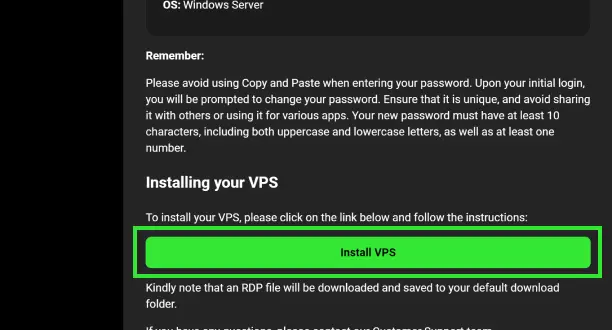
ดาวน์โหลดไฟล์ RDP ของคุณจากอีเมลต้อนรับหรือ Secure Client Area
Step 2
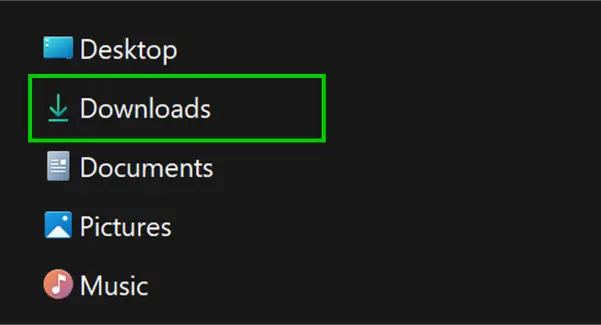
ค้นหาไฟล์ RDP คุณจะพบไฟล์นี้ในโฟลเดอร์ดาวน์โหลดที่กำหนดไว้
Step 3
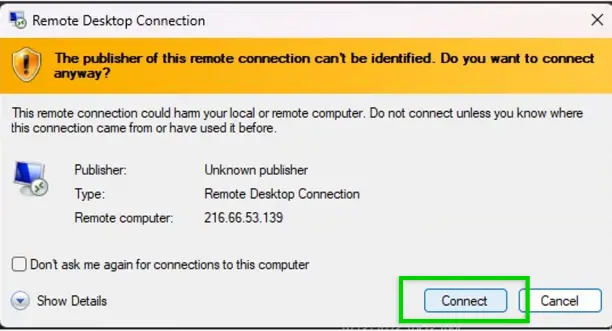
เริ่มการเชื่อมต่อรีโมทเดสก์ท็อปโดยคลิกที่ "Connect"
Step 4
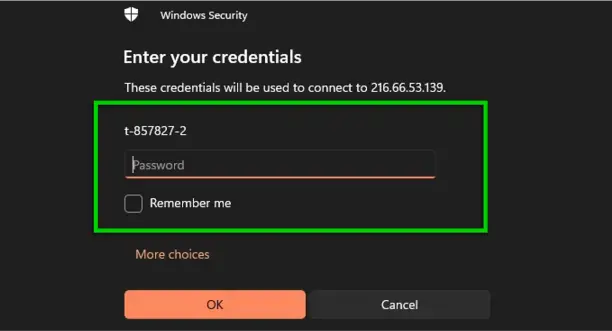
กรอกข้อมูลรับรอง VPS ที่ระบุไว้ในอีเมลต้อนรับของคุณ
Step 5
ตอนนี้คุณพร้อมเริ่มเทรดบน MT4 หรือ MT5 โดยใช้ IC VPS ของคุณแล้ว
 บริการดูแลและซัพพอร์ตตลอด 24/7