Cách kết nối với IC VPS?
Dưới đây là một số bước đơn giản để kết nối với IC VPS
Step 1
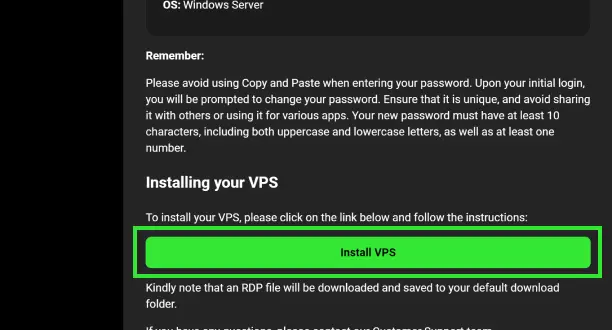
Tải tệp RDP của bạn từ Email Chào mừng hoặc Khu vực Khách hàng Bảo mật.
Step 2
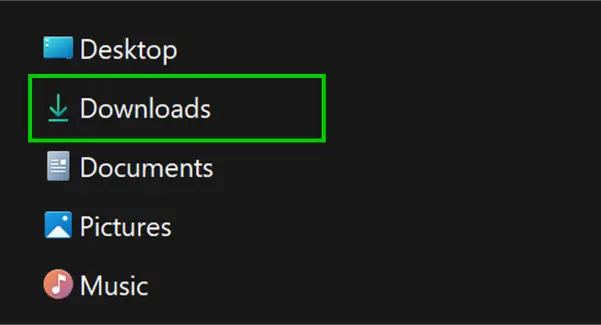
Xác định vị trí tệp RDP, bạn sẽ tìm thấy tệp này trong thư mục Tải xuống được chỉ định.
Step 3
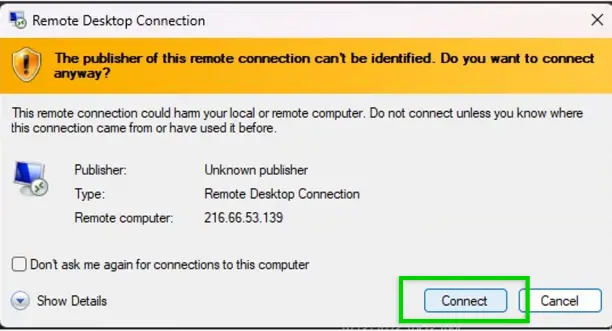
Khởi động kết nối máy tính từ xa bằng cách nhấp vào "Connect".
Step 4
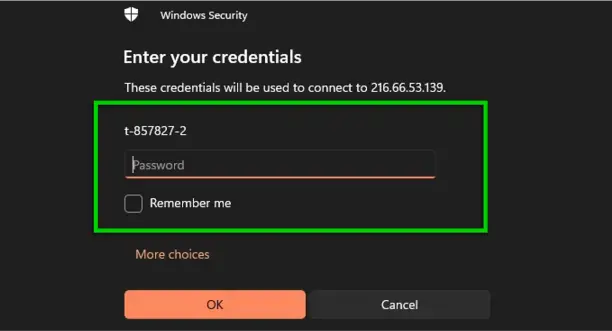
Nhập thông tin đăng nhập VPS được cung cấp trong Email Chào mừng của bạn.
Step 5
Bây giờ bạn đã sẵn sàng để bắt đầu giao dịch trên MT4 hoặc MT5 bằng IC VPS của mình.
 Hỗ trợ 24/7